


 Français
 English
 Español
 Deutsch
 Italiano

Espace Reva
2 allée Josime MARTIN
13160 CHATEAURENARD
FRANCE
Tel : 33 9 77 63 61 94
Факс : 33 4 32 62 71 35 Tel: 33 9 77 63 61 94

FAQ : IDEAL DISPATCH
Развёртывайте, выполняйте и управляйте ИТ-действиями удалённо из единого интерфейса
Some information about distributionsHow to redeploy a distribution on a new selection of target computers? |
How to redeploy a distribution on a new selection of target computers? How to reprogram a distribution? How to reprogram a distribution only on the computers that returned an error? |
|
This option allows programming or reprogramming of a distribution. All settings can be stored, with the exception of its file name. Several methods exist:
- using the Distribution menu, then Program. - using the right click mouse button on the distribution, then Program, or by using the
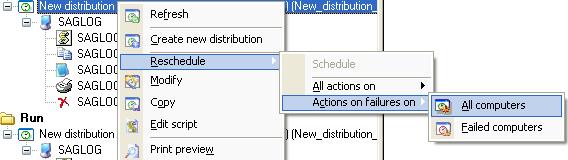
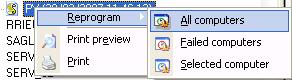
- by drag/drop. This has the effect to restart the same distribution. - by using the mouse right click button on a distribution. Four options are open to you:
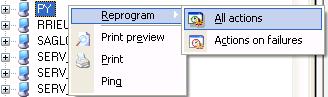
- by using the mouse right click button on a computer of the distribution.
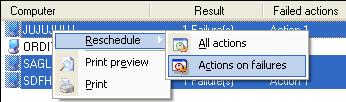
- by using the mouse right click button on an action of the distribution.
If you select more than one actions of a distribution in the right view, the reprogramming applies to all selected actions.
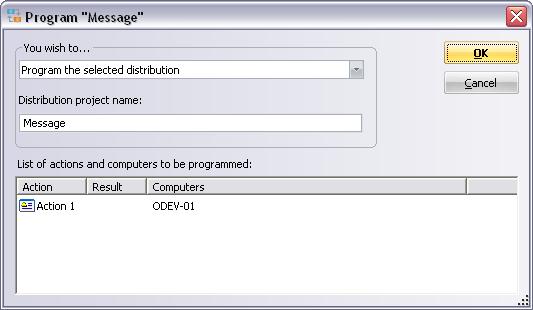
When programming or reprogramming is asked, a window opens.
|
| Последняя модификация: 13/05/2013 |
 icon of the toolbar.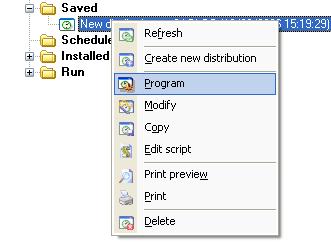
Хотите проверить сами? Попробуйте IDEAL DISPATCH бесплатно в течение 30 дней.
Без обязательств • Без агента • Поддержка включена • Готово к использованию за 5 минут


IDEAL DISPATCH 9.9
БЕСПЛАТНЫЙ ТЕСТ 30 ДНЕЙ
ИНСТРУМЕНТЫ
СЕРВИСЫ
КAPTA CAЙTA
POINTDEV
ESPACE REVA2 ALLEE JOSIME MARTIN
13160 CHATEAURENARD
FRANCE


